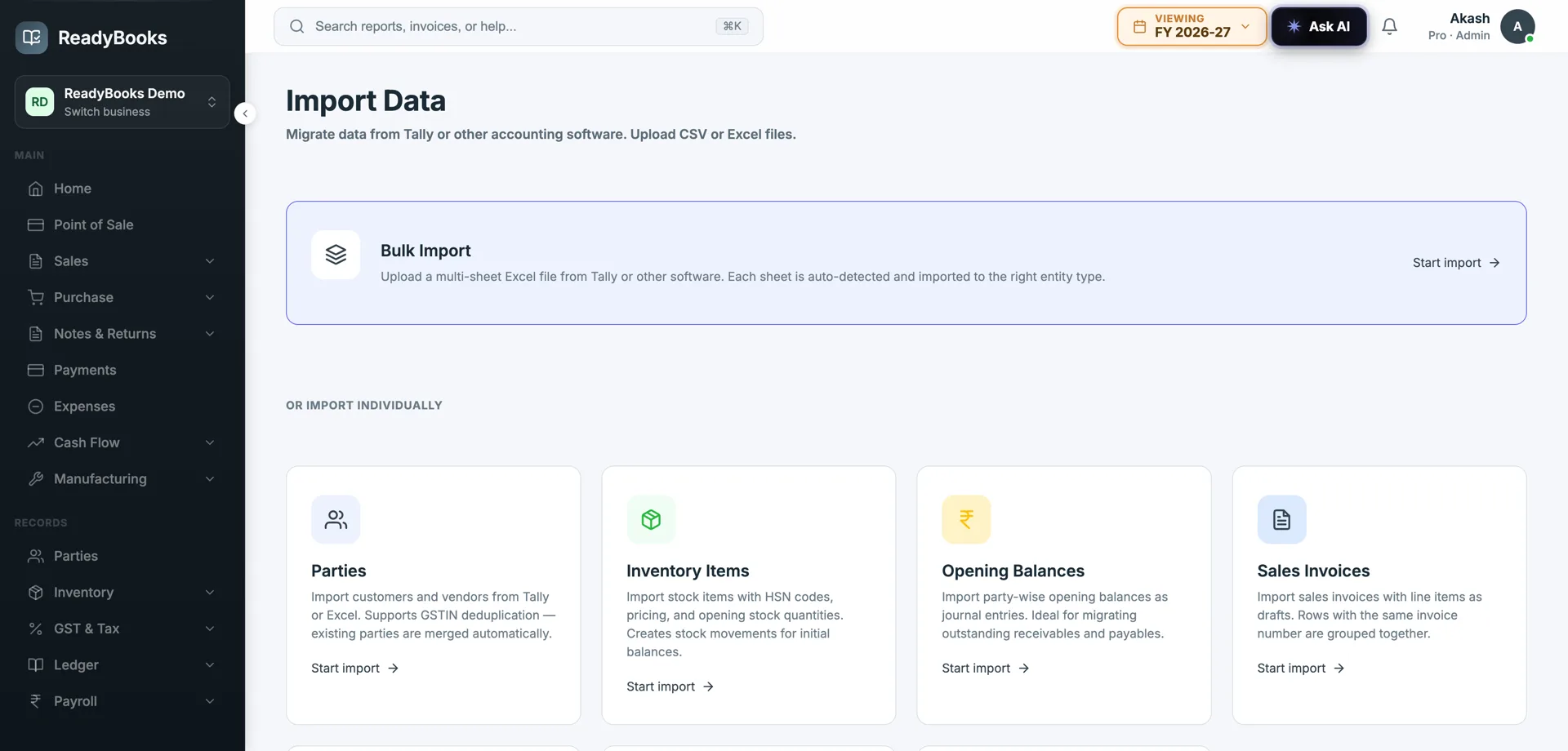
Import data from Tally — migrate without re-typing
Bring your parties, items, ledgers, invoices, payments, bank transactions, and opening balances across from Tally’s XML export. Duplicate detection, a dry-run preview, and aggregated error reporting let you verify the move before it touches your books — and keep the history you would otherwise abandon.
Import from Tally XML — parties, items, invoices, and opening balances, previewed first.
A real migration, not a re-entry project
Move masters and transactions in bulk, preview the result, fix what is flagged, and commit when it is right.
Tally XML import
Import from Tally’s standard XML export, the format Tally already produces — so you do not need a custom connector or a manual rebuild. The export becomes the bridge from your existing company into ReadyBooks.
Masters, transactions & opening balances
Carry the whole picture: party master, item master, and chart of ledger accounts; sales and purchase invoices; payments and bank transactions; and opening balances so your books open at the right position rather than from zero.
Duplicate detection
The importer recognises records it has already seen, so re-running an import or bringing in data that overlaps what you hold does not silently stack second copies. Migration becomes safe to repeat while you get it right.
Dry-run preview
See what the import will do before you commit it. The dry run lets you validate the outcome first and commit only once the preview looks correct — so problems are caught on screen, not discovered in your live books afterward.
Aggregated error reporting
Instead of failing on the first bad row, the importer collects errors into one consolidated report telling you what could not be imported and why. You fix the flagged rows and re-import, rather than fighting the file one error at a time.
Bulk Excel import too
Not on Tally? Import from Excel instead, so businesses moving off spreadsheets or another package that exports to Excel have a structured path in — with the same dry-run-and-validate discipline.
Why businesses move off Tally with ReadyBooks
Because the thing that keeps people on old software is the fear of losing their data — so the migration has to be safe, verifiable, and complete.
Keep your history
Masters, transactions, and opening balances come across, so you continue from where your Tally books were rather than abandoning years of data to start clean.
Verify before you commit
The dry-run preview means you see the result first and commit only when it is right — the migration is something you check, not something that happens to your live books.
Safe to run more than once
Duplicate detection makes a second import safe, so you can iterate — fix the errors the report flagged, re-run — without doubling up your data each time.
A path even without Tally
Excel import gives spreadsheet-based businesses and users of other packages the same structured, previewable route in, so the migration story is not limited to Tally users.
Leaving Tally without leaving your data
The single biggest thing keeping Indian businesses on desktop Tally is not love of the software — it is the years of data inside it. Customers and vendors, the item master, the ledger structure, every invoice and payment, the bank history, and the opening balances that make the books actually balance. The thought of re-keying all of that, or of losing it to start fresh somewhere modern, is enough to keep a business on a machine it has otherwise outgrown.
ReadyBooks is built to remove that blocker. It imports from Tally’s own XML export — so there is no exotic connector to set up — and brings across the masters and transactions that constitute your books: parties, items, ledger accounts, sales and purchase invoices, payments, bank transactions, and the opening balances that let your trial balance continue rather than reset. The point is to reconstruct your trading history in ReadyBooks, not to hand you an empty company and a data-entry backlog.
Just as important as what moves is how safely it moves. The importer detects duplicates, so re-running it does not stack second copies; a dry-run preview lets you validate exactly what will happen before you commit; and errors are aggregated into one report so you can fix the flagged rows and re-import instead of battling the file row by row. And if you are not on Tally at all — coming from spreadsheets or another package — the same structured, previewable discipline is available through Excel import. The result is a migration you run, check, and trust, at your own pace.
Where migration fits
Three businesses making the move into ReadyBooks.
Trader, RajkotA decade of Tally data and a hard refusal to re-key it, so every modern tool gets evaluated and abandoned.
The Tally XML import brings parties, items, ledgers, invoices, payments, and opening balances across, and the dry-run preview proves it landed correctly before committing — the history is preserved, not retyped.
Accountant, CoimbatoreMigrating a client mid-year and terrified of duplicating invoices or opening the books at the wrong balance.
Opening balances come across so the books open correctly, duplicate detection makes a corrective re-import safe, and aggregated error reporting shows exactly which rows to fix before the final commit.
Services firm, NoidaNever used Tally — everything lives in spreadsheets — but still wants a clean, verifiable migration rather than manual entry.
Bulk Excel import gives the firm the same dry-run-and-validate path as a Tally migration, so the spreadsheets move in as structured data with the result previewed before it commits.
Import your parties, items, ledgers, invoices, payments, and opening balances from Tally XML — preview it, fix what is flagged, and commit when it is right. Start free. No credit card required.